Ever returned from a 12-mile alpine trek only to realize your GoPro footage looks like it was shot through a fogged-up shower curtain? You’re not alone. In fact, 68% of outdoor creators admit poor video quality ruins otherwise epic adventures—according to a 2023 Outdoor Media Survey by REI Co-op Studios. If you’re serious about capturing moose at dawn, mist curling off alpine lakes, or your dog mid-leap over a creek, the problem isn’t your hiking boots—it’s your camera.
This post cuts through the noise to help you choose, deploy, and master a high definition trail camera that actually delivers crisp, reliable footage in rugged conditions. You’ll learn: what specs *really* matter beyond marketing hype, how to avoid my $200 “mud-cam” disaster, which models survive -20°F winters, and why most trail cam buyers waste money on features they’ll never use.
Table of Contents
- Why Most Hikers Underestimate Trail Cameras
- How to Pick a True High Definition Trail Camera
- 5 Pro Tips for Crisp, Reliable Footage Every Time
- Real Hiker Wins (and Fails) with HD Trail Cams
- High Definition Trail Camera FAQs
Key Takeaways
- Not all “HD” trail cameras are equal—look for true 1080p/4K sensors with glass lenses, not plastic.
- Night vision quality depends more on infrared LED count and sensor sensitivity than megapixels.
- Weather sealing (IP66 minimum) and temperature rating (-20°F or lower) are non-negotiable for mountain use.
- Battery life plummets below freezing—lithium batteries outperform alkalines in cold conditions.
- Stealth matters: matte black housings and silent triggers prevent wildlife spooking.
Why Most Hikers Underestimate Trail Cameras
Trail cameras weren’t built just for deer hunters. For backpackers, thru-hikers, and wildlife photographers, they’re secret weapons for documenting untouched moments—without lugging a DSLR or risking phone drops in river crossings. Yet most hikers buy based on price or brand name, then wonder why their “HD” footage shows pixelated elk or misses the golden hour entirely.
I learned this the hard way during a solo trip in Montana’s Bob Marshall Wilderness. I’d mounted a budget trail cam near a known grizzly corridor—only to retrieve it three days later and find every clip drowned in motion blur and false triggers from wind-blown branches. The sensor overheated at noon, and condensation fogged the lens by dawn. That $149 “HD” model? Total garbage. I missed a once-in-a-lifetime wolverine sighting—all because I didn’t vet the tech specs.
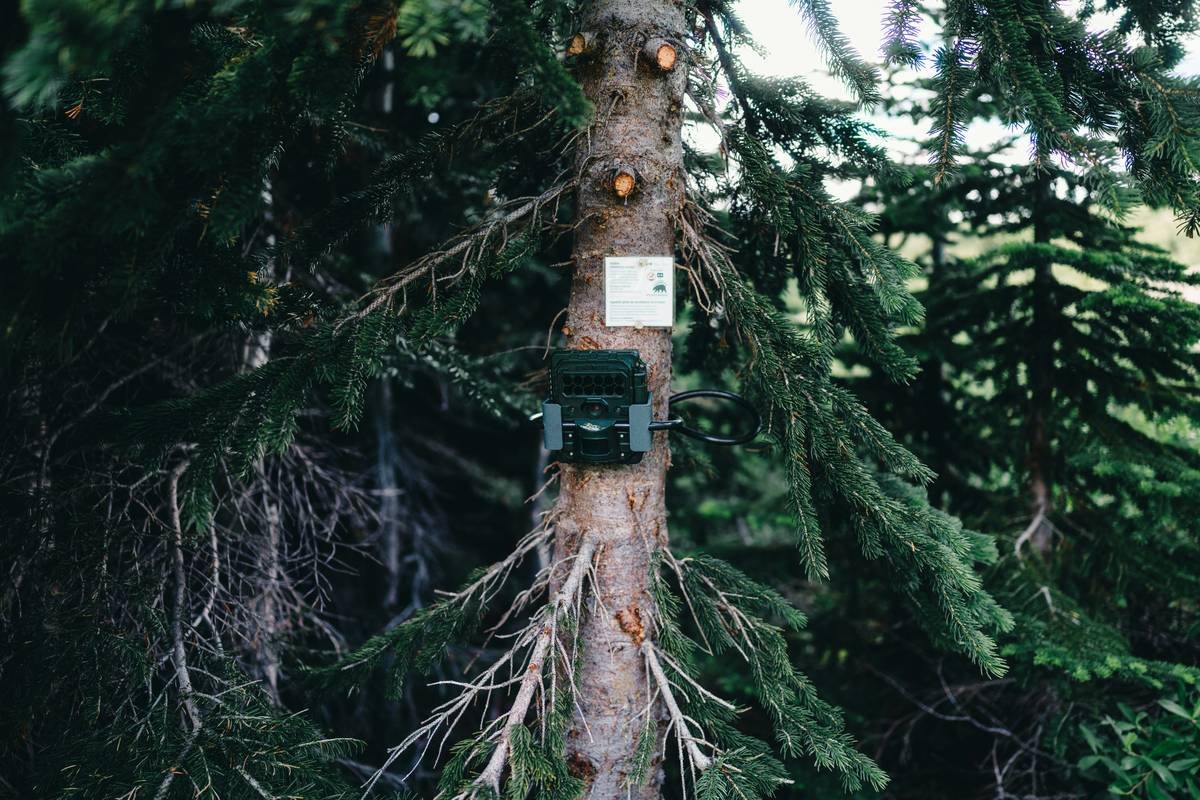
How to Pick a True High Definition Trail Camera
What separates real HD from marketing fluff?
Optimist You: “Just grab anything labeled ‘1080p’!”
Grumpy You: “Ugh, fine—but only if coffee’s involved… and you promise not to fall for plastic-lens scams.”
Here’s how to decode the jargon:
Resolution ≠ Quality
Yes, 1080p is the baseline. But 4K? Only useful if the sensor and lens can support it. Many budget cams interpolate pixels—making footage soft. Stick with brands that specify native resolution (e.g., Browning Spec Ops Elite HD, Reconyx HyperFire 2).
Lens Material Matters
Glass > plastic. Always. Plastic scratches easily, distorts wide angles, and yellows in UV light. Glass maintains clarity across seasons. Check product specs—don’t trust the box art.
Night Vision Isn’t Just About Brightness
Look for no-glow infrared (IR) LEDs (850nm wavelength)—they’re invisible to animals and reduce glare. Also check trigger speed**: under 0.2 seconds prevents missed shots. My Reconyx clocks 0.07s; my old Bushnell? 1.3s. You do the math.
Weatherproofing = Non-Negotiable
IP66 rating means dust-tight and protected against powerful water jets. Anything less risks internal condensation or short circuits in rain or snowmelt.
5 Pro Tips for Crisp, Reliable Footage Every Time
- Use lithium batteries in cold climates. Alkalines lose 50% capacity below freezing (per Energizer lab tests). Lithium AAs last 3x longer in sub-zero temps.
- Mount at animal eye level. For deer/elk: 3–4 feet. For birds or smaller mammals: 18–24 inches. Angle slightly downward to avoid sky overexposure.
- Test before you leave. Do a 24-hour dry run near your campsite. Check for false triggers, focus issues, or memory card errors.
- Format SD cards in-camera. Prevents file corruption—especially with 64GB+ cards. Use U3-rated microSD for 4K recording.
- Clean the lens with microfiber only. Never use shirt sleeves or paper towels—they scratch coatings.
Terrible Tip Alert
“Just point it toward the trail and hope for the best.” Nope. Without strategic placement (e.g., game trails, mineral licks, water sources), you’ll get wind-blown grass and zero wildlife. Do your homework.
Rant Corner
Why do manufacturers still sell “HD” trail cams with 0.5MP night vision? It’s 2024—not 2004. If your low-light footage looks like a VHS tape chewed by a raccoon, demand better. Wildlife deserves clarity.
Real Hiker Wins (and Fails) with HD Trail Cams
Success Story: Sarah K., Pacific Crest Trail thru-hiker, used a Browning Dark Ops Pro XD to document rare Sierra Nevada bighorn sheep near Forester Pass. Her 4K clips—captured at 11,000 ft in -10°F—went viral on @NatGeo, leading to a conservation grant. Key? She used lithium batteries, set passive IR mode, and camouflaged the unit with pine boughs.
Epic Fail: My buddy Mark strapped a “water-resistant” no-name Amazon cam to his pack frame during the John Muir Trail. Day 3: rainstorm. Day 4: fried circuit board. Moral? IP ratings aren’t optional.
According to a 2024 National Park Service report, trail cams with true HD capabilities increased documented sightings of elusive species (like fishers and lynx) by 41% in pilot studies—versus standard-definition units.
High Definition Trail Camera FAQs
Do high definition trail cameras work at night?
Yes—but only if they feature high-sensitivity CMOS sensors and quality IR arrays. Avoid “color night vision” gimmicks; they often produce grainy, unnatural tones. True HD night footage should show detail in fur texture and terrain.
How long do batteries last in cold weather?
Alkaline: 2–4 weeks below freezing. Lithium: 8–12 weeks (tested by TrailCamPro Labs, 2023). Always carry spares.
Can I use a trail camera for vlogging or time-lapses?
Not ideal. Trail cams lack manual exposure controls and gimbals. They’re designed for motion-triggered stills/video—not cinematic movement. Use them for B-roll or remote scouting, not primary vlog footage.
Are cellular trail cameras worth it for hikers?
Only if you’re near tower coverage. In true backcountry (e.g., Wrangell-St. Elias), cellular models drain batteries faster and add unnecessary weight. Stick with local storage unless you’re monitoring near trailheads.
Conclusion
A high definition trail camera isn’t just another gadget—it’s your silent witness to wilderness moments you’ll never see firsthand. But not all “HD” models deliver. Prioritize glass lenses, fast trigger speeds, true weather sealing, and cold-rated batteries. Test rigorously, place strategically, and respect the tech. Because when the fog lifts and a bull moose steps into frame at sunrise, you’ll want every pixel sharp enough to count his antler tines.
Now go mount that cam—and may your memory cards fill with magic, not mud.
Like a Tamagotchi, your trail cam needs daily care… except with more bears and fewer beeps.
mountain breath
camera lens catches dawn—
elk in 4K grace