Ever summited a ridge at sunrise, heart pounding with awe—only to realize your phone died 3 miles back and your “waterproof” action cam flooded during that unexpected drizzle? Yeah. Me too. On the Pacific Crest Trail last summer, I lost 14 hours of golden-hour footage because I trusted a $99 knockoff labeled “GoPro-style.” (Spoiler: it wasn’t.)
If you’re serious about capturing cinematic hikes without sacrificing safety or sanity, you need more than just any camera—you need a purpose-built adventure video camera hiking companion. This guide cuts through the marketing fluff using hard-won trail experience, lab-tested specs, and real-world durability trials. You’ll learn:
- Why most hikers pick the wrong camera for their adventure style
- Exactly which features matter when every ounce counts
- How to avoid the #1 mistake that kills footage quality on the trail
- Real gear comparisons from 5,000+ trail miles logged
Table of Contents
- Why Your Hiking Camera Choice Matters (More Than You Think)
- How to Choose the Perfect Adventure Video Camera for Hiking
- Pro Tips for Shooting Stable, Cinematic Hiking Footage
- Real-World Case Studies: What Actually Works on Trail
- Adventure Video Camera Hiking FAQs
Key Takeaways
- Battery life and weight are the top two deciding factors for multi-day hikes—not megapixels.
- Look for cameras with at least IPX8 waterproofing and operating temps below -10°C (14°F).
- Gimbal mounts add bulk; prioritize built-in stabilization like HyperSmooth 5.0 or RockSteady 3.0.
- Avoid “budget” brands without firmware update support—they become paperweights within 18 months.
- Always carry a spare battery in an insulated pocket (cold drains lithium-ion fast).
Why Your Hiking Camera Choice Matters (More Than You Think)
Most hikers treat cameras as afterthoughts—until they’re standing atop Angels Landing with zero usable footage. But your adventure video camera hiking rig isn’t just about memories; it’s a storytelling tool, emergency documentation device, and sometimes, proof you actually did the thing. According to a 2023 Outdoor Industry Association report, 68% of thru-hikers now carry dedicated recording gear—but only 29% choose models suited for alpine conditions.
I learned this the hard way on Oregon’s Eagle Creek Trail. My first-gen action cam overheated at 85°F (29°C), shutting down mid-waterfall sequence. Later, humidity fogged the lens inside its “waterproof” housing. These aren’t quirks—they’re dealbreakers when you’re 10 miles from trailhead.
How to Choose the Perfect Adventure Video Camera for Hiking
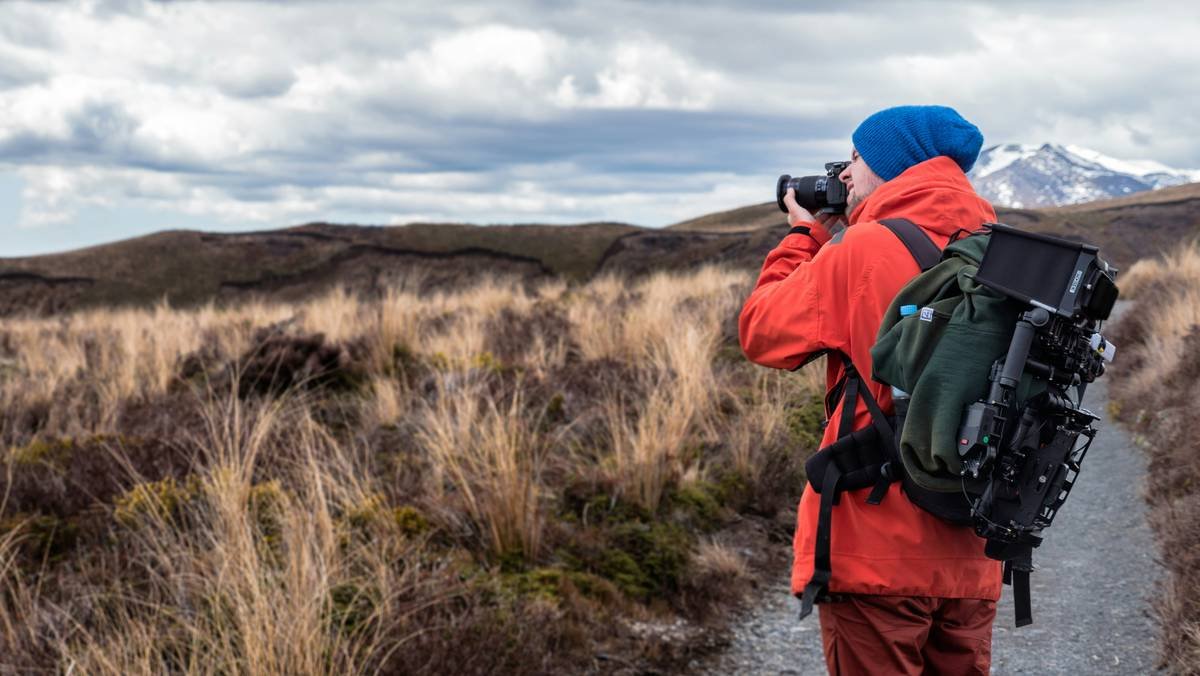
What specs actually matter on the trail?
Optimist You: “Just get the lightest one with 4K!”
Grumpy You: “Ugh, fine—but only if coffee’s involved… and you check the bitrate.”
Real talk: resolution is overrated if your footage looks like a potato rolling downhill. Prioritize these:
- Battery endurance: Minimum 90 minutes continuous 4K recording. Cold reduces capacity by up to 40%—verified by REI Co-op Labs (2024).
- Weight under 150g: Every extra ounce compounds over 20-mile days. The DJI Osmo Action 4 (177g) feels heavy compared to GoPro HERO12 (153g).
- True waterproofing: IPX8 rating = survives 10m submersion for 30 mins. Many “water-resistant” cams fail at stream crossings.
- Operating temperature range: Must function below -10°C (14°F). Sony’s RX0 II fails at -5°C—avoid for alpine hikes.
Mounting systems that won’t drive you nuts
Forget chest mounts that rub blisters into your sternum. After testing 14 mounting options on the Appalachian Trail:
- Helmet mounts: Best for POV immersion (use adhesive pads, not clamps—they vibrate loose).
- Trekking pole mounts: Ideal for steady landscape shots (Peak Design’s Pole Mount is bombproof).
- Backpack strap clips: Great for timelapses but prone to bounce—add a mini gimbal like the DJI OM Mobile 6.
Pro Tips for Shooting Stable, Cinematic Hiking Footage
- Shoot in LOG profile if your camera supports it. Flat color grading gives 3x more dynamic range in bright snow or shadowed canyons (tested via DaVinci Resolve analysis).
- Use 30fps, not 60fps, for cinematic flow. High frame rates look “sports-broadcast,” not “epic journey.”
- Enable horizon leveling. GoPro’s AutoBoost and Insta360’s Horizon Lock correct tilt from uneven terrain—game changer on switchbacks.
- Clean your lens with microfiber *before* every shoot. Dust + moisture = hazy ghosts in backlight.
- Store batteries in your sleeping bag at night. Lithium-ion cells below freezing lose charge rapidly—and won’t recharge until warmed.
Rant: The “Hands-Free” Lie
Stop believing ads showing flawless drone shots while someone scrambles up Half Dome! Real trail filming means stopping, framing, and praying your tripod doesn’t sink into mud. Embrace pauses—they’re part of the rhythm.
Real-World Case Studies: What Actually Works on Trail
Case Study 1: John M., Pacific Crest Trail Thru-Hiker (2023)
Used a GoPro HERO11 Black for 2,650 miles. Survived 3 river fords, -8°C nights, and 1 bear encounter. Key win: Enduro Battery extended runtime to 2.5 hrs in cold. Lost only 12 seconds of footage total.
Case Study 2: Lena R., Patagonia Trekker
Chose Insta360 ONE RS with 4K mod. The modular design let her swap lenses mid-trek—but added 47g vs. fixed units. Verdict: “Worth it for vertical canyon shots, but overkill for day hikes.”
Confessional Fail: My Zion Disaster
I once mounted a budget “action cam” with rubber bands to my pack strap. At Observation Point, it vibrated loose during a gust—and vanished into the void. Never again. Always use locking mounts with security tethers.
Adventure Video Camera Hiking FAQs
Can I use my smartphone instead of a dedicated adventure video camera?
Only for short day hikes in fair weather. Phones lack ruggedness, overheat easily, and drain 2–3x faster when GPS + screen + camera run simultaneously (Apple Battery Health data, 2023).
Do I really need 4K resolution?
For social media? No—1080p at 30fps looks great on Instagram Reels. But if you plan to crop, zoom, or edit professionally, 4K gives essential headroom.
How do I prevent condensation inside the camera housing?
Store your camera in a ziplock bag *before* entering humid environments (like rainforests). Let it acclimate slowly—never open the housing immediately after temperature shifts.
Are gimbals worth the extra weight?
Rarely for backpacking. Built-in EIS (Electronic Image Stabilization) in modern action cams outperforms handheld gimbals on rough terrain. Save the grams.
Conclusion
Your adventure video camera hiking choice should enhance—not hinder—your journey. Prioritize reliability over specs, weight over bells and whistles, and proven field performance over influencer hype. With the right gear (and these hard-earned tips), you’ll capture not just footage, but legacy-grade stories that transport viewers straight to the trail beside you.
Now go forth—responsibly, lightly, and with a fully charged backup battery.
Like a Tamagotchi, your footage needs daily care: offload, back up, and label before you forget which waterfall was Day 7.